
Background Noise Removal Online
Background Noise Removal removes background noise from video and audio online in a couple of minutes. Upload a file, choose a processing mode and download clean audio — traffic, wind, hum, echo and background music are gone, and the voice becomes clear and easy to understand. No software to install and no settings to tweak. Under the hood it’s an AI audio cleaner that separates the voice from everything else.
What Background Noise Can You Remove
The tool separates the voice from everything else in the recording, so it can remove almost any unwanted sound:
- Street and outdoor noise — traffic, wind, crowds, construction. For strong wind, see remove wind noise.
- Indoor noise — air conditioning, fans, computer hum, keyboard clicks, office chatter.
- Microphone noise — hiss, hum and electrical buzz from cheap or built-in microphones.
- Echo and reverb from empty or “boomy” rooms.
- Background music, when you need to keep only the voice.
- Breaths, coughs, “uh” and “um” between phrases.
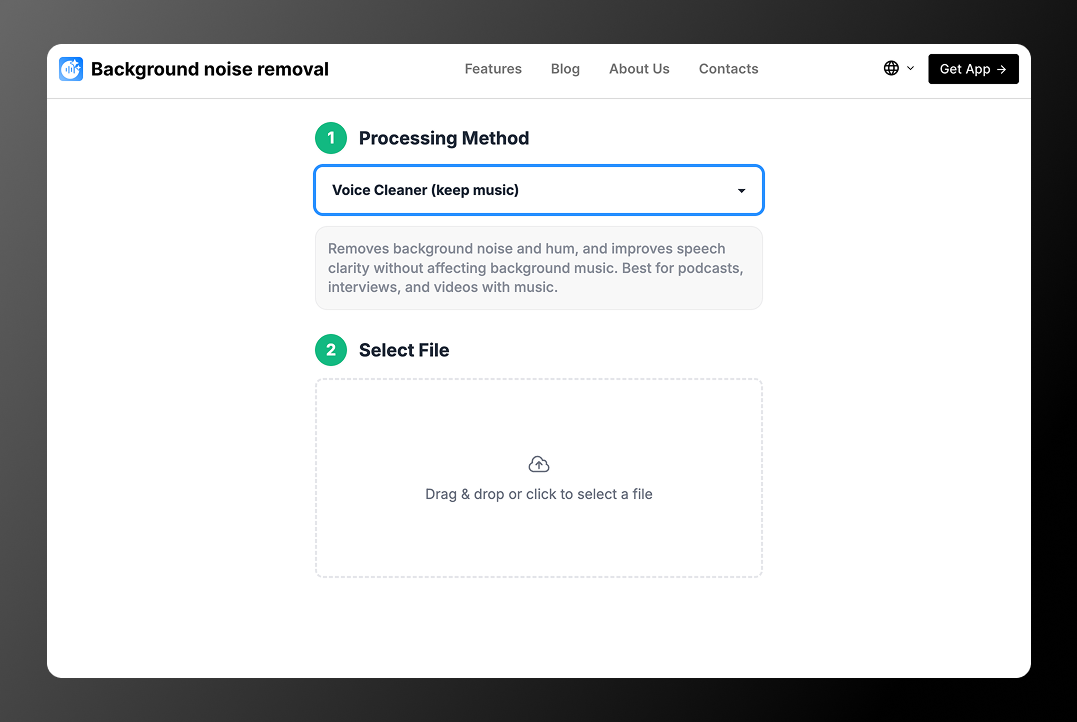
Working with an audio file? See remove background noise from audio. If you only need to keep the music and remove the noise, choose Voice Cleaner (keep music) — the soundtrack stays, the noise goes. Step-by-step guides: how to remove background noise from video and from audio.
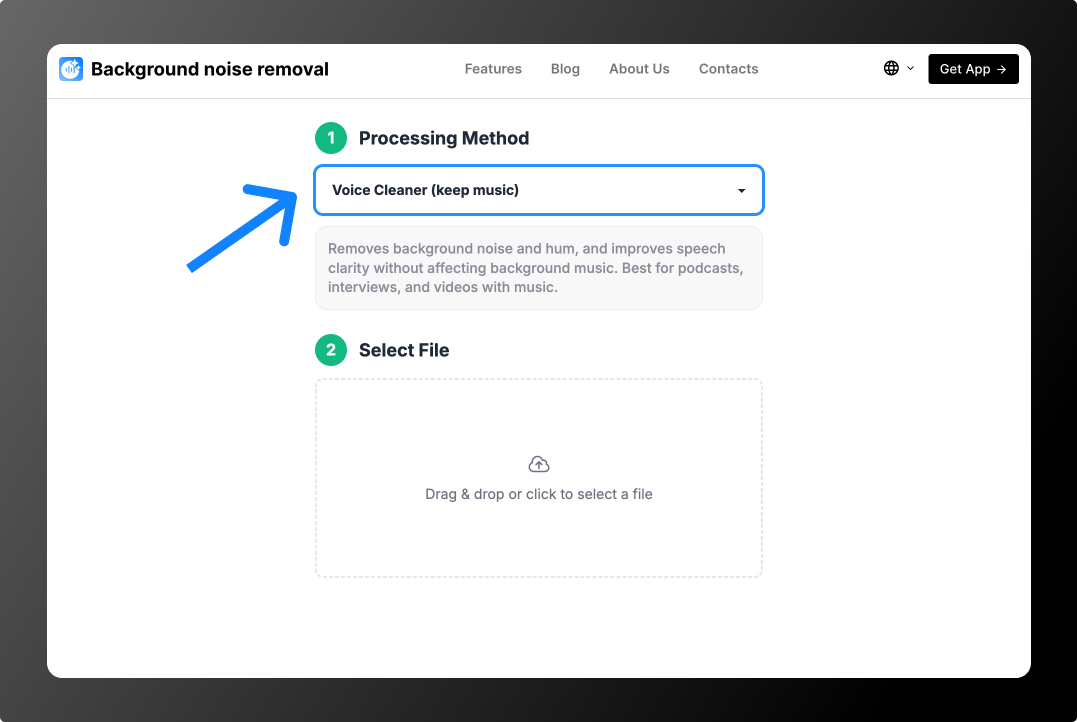
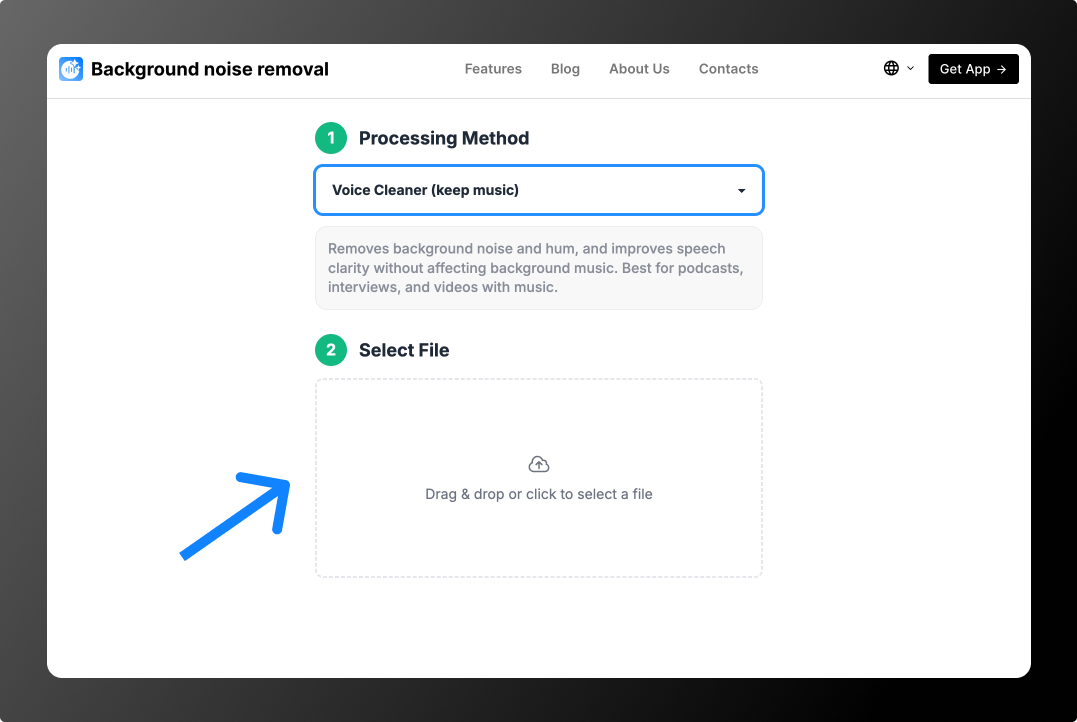
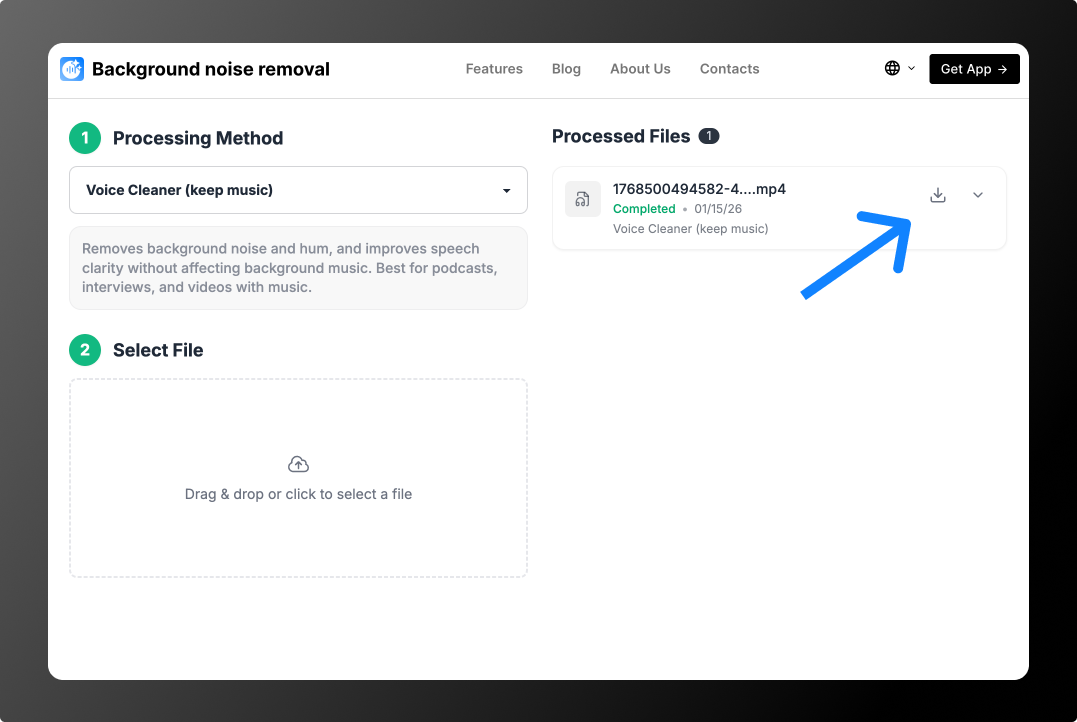
How to Remove Background Noise in 3 Steps
Before and After Examples
Listen to how each of the 8 modes works. On the left is the original recording, on the right — the processed result.
Voice Cleaner (remove music): noise outside the window and loud music
Voice Cleaner (keep music), Partial Deverb: empty room with music
Voice Cleaner (keep music): voice with background music
Voice Cleaner (keep music & soundFX): music and applause
Voice Cleaner (remove breathings)
Adaptive Leveler (keep noise): loud and quiet phrases
Bandwidth Extension and Voice AutoEQ (keep noise): phone recording from a distance
Cut Filler Words, Coughs and Silence
Remove Background Noise from Video
Most recordings with noisy audio are videos: vlogs shot on a phone, interviews outdoors, screen recordings, webinars and online lessons. Upload your video in MP4, MOV, AVI, MKV or WEBM — the tool cleans the audio track, so you can delete background noise without re-recording or editing the sound manually.
8 Processing Modes
Each mode is built for a specific task. Read the descriptions to pick the one that fits your recording, or see all features in detail:
1. Voice Cleaner (remove music)
Removes background noise and music and keeps only the voice. The best choice for most recordings. If music is the main problem, use the background music remover.
2. Voice Cleaner (keep music)
Removes background noise and hum and improves speech clarity without touching background music. Good for podcasts, interviews and videos with a soundtrack.
3. Voice Cleaner (keep music), Partial Deverb
The same as Voice Cleaner (keep music), plus it reduces echo and reverb when the recording was made in an empty or “boomy” room. More on the echo remover page.
4. Voice Cleaner (keep music & soundFX)
Cleans the voice while keeping not only the music but also sound effects — applause, transitions, ambience.
5. Voice Cleaner (remove breathings)
Removes audible breaths between phrases without breaking natural speech.
6. Adaptive Leveler (keep noise)
Evens out voice volume, so quiet and loud phrases sound the same, without removing background sound.
7. Bandwidth Extension and Voice AutoEQ (keep noise)
Makes the voice fuller and clearer by restoring frequencies, without aggressive noise removal. Good for old, “flat” or phone recordings. More on the audio enhancer page.
8. Cut Filler Words, Coughs and Silence
Automatically cuts “uh”, “um”, coughs and long pauses. Saves editing time, but the result is worth a quick check.
Who Is It For
- Video editors, audio editors and sound designers
- YouTubers, podcasters and content creators
- SMM specialists and marketers
- Teachers, students and anyone recording online lessons
- Anyone who records videos or audio with speech
Tips and guides: how to improve voice in a recording and microphone problems when recording.
Why Background Noise Removal
- Fast processing — on average, a 5-minute file takes about 45 seconds.
- All popular formats — MP3, AAC, OGG, WAV, M4A, FLAC, MP4, AVI, MKV, WEBM, MOV.
- Simple interface — no settings to learn, just upload and pick a mode.
- Processing history — come back to files you processed earlier and download them again.
- Batch processing — upload and process several files at once.
Pricing
You can try 2 files for free: the tool processes the first 30 seconds of each, which is enough to hear the result. Files can be up to 2 GB and up to 180 minutes long, and all modes are available on the free plan.
To process full files, top up your balance: no subscription, from $0.79 per file or minute packages from $1.99 for 10 minutes. See Pricing for details. If you need more than 600 minutes, email support@backgroundnoiseremoval.com — we will set up a 20, 50 or 100-hour pack at $0.06 per minute.
FAQ
Can I remove background noise for free?
Yes. You can process 2 files for free — the tool cleans the first 30 seconds of each, so you can check the result before paying.
Can I remove background noise and keep the music?
Yes. Choose Voice Cleaner (keep music): the noise is removed, the background music stays.
Do I need to install any software?
No. Background noise removal works online in your browser, including on your phone. Upload a file, choose a mode and download the result.
Is there a background noise removal app?
You don’t need to install an app: the tool works in the browser on iPhone, Android, Windows and Mac. Open the website on your phone, upload a video or audio file from your gallery and save the cleaned file back.
Is there a Chrome extension?
Yes. The Background Noise Removal extension for Chrome lets you open the tool right from your browser toolbar.
What is the maximum file size?
Up to 2 GB and up to 180 minutes per file.
Contact Us
We value your feedback. If you have an idea, found a problem or just want to share your opinion, write to support@backgroundnoiseremoval.com.