
Enhance Audio in Video Online
Background Noise Removal lets you enhance audio in a video online in a couple of minutes. Upload your clip, choose a mode, and the AI makes the voice clearer and closer, removes background noise and echo, and evens out the volume. The picture stays exactly the same — only the audio track changes. No software, no manual EQ.
What You Can Improve in Video Audio
- Quiet, distant voice. Filmed on a phone a few meters away? Bandwidth Extension and Voice AutoEQ (keep noise) brings the voice closer and makes it fuller.
- Background noise. Traffic, wind, air conditioning, chatter — Voice Cleaner (remove music) keeps only the voice.
- Room echo. Empty apartments, offices and halls — the echo reduction mode removes the hollow sound.
- Uneven volume. Some phrases loud, others barely audible — Adaptive Leveler (keep noise) evens them out.
- Music covering the voice. Remove it completely or keep it and clean only the voice.
Before and After: Video Audio Examples
Phone video filmed from a distance
Uneven volume
Street noise and music
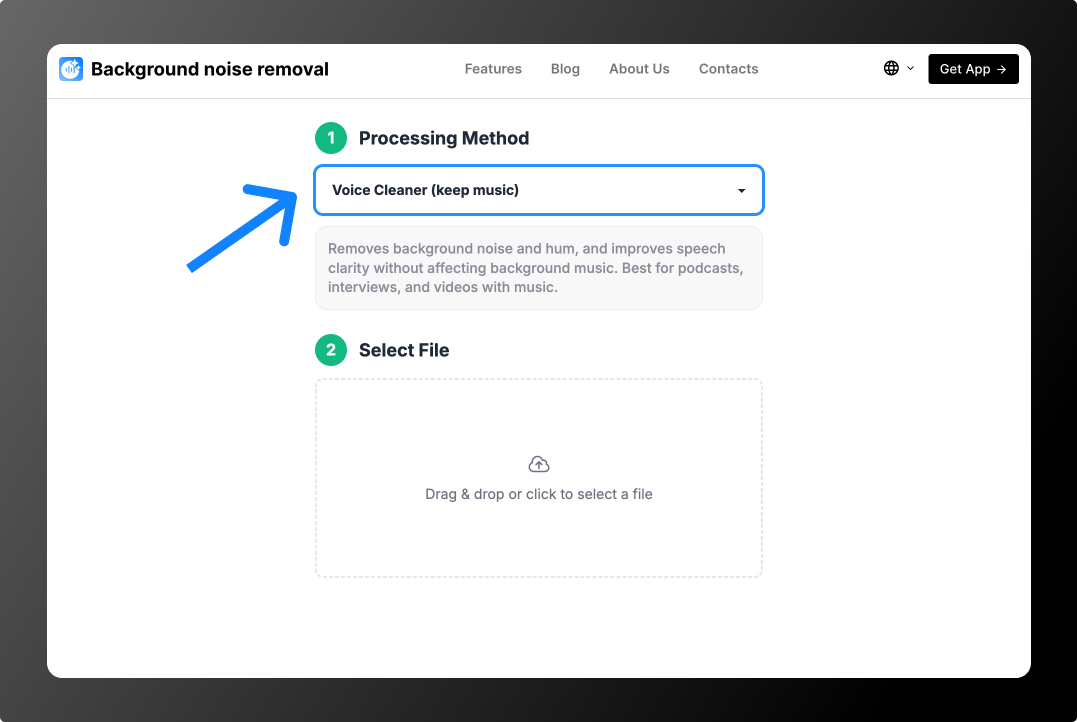
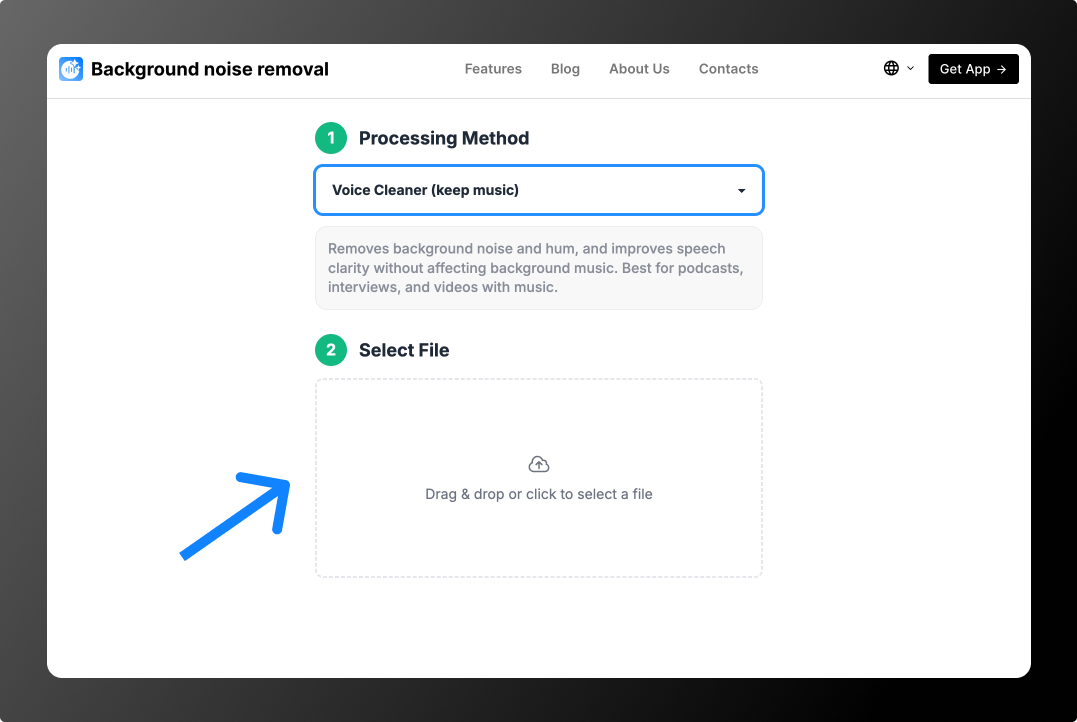
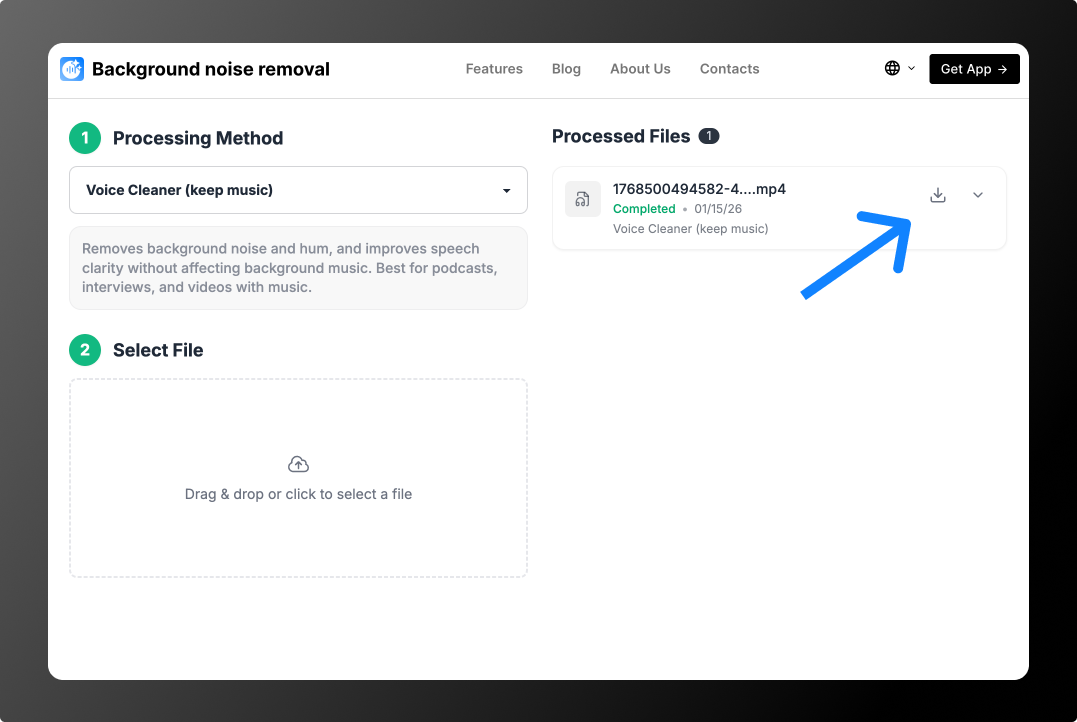
How to Enhance Audio in a Video in 3 Steps
Which Mode to Choose
- Voice sounds distant or “boxy” — Bandwidth Extension and Voice AutoEQ (keep noise).
- Noise, wind, traffic, music — Voice Cleaner (remove music).
- The music must stay — Voice Cleaner (keep music).
- Echo — Voice Cleaner (keep music), Partial Deverb. More on the echo remover page.
- Breaths, pauses, “um” — Voice Cleaner (remove breathings) or Cut Filler Words, Coughs and Silence.
Common Video Audio Problems and How to Fix Them
- “Talking from a tin can.” Filmed in an empty room — use the echo reduction mode.
- Voice buried in street noise. Voice Cleaner (remove music) removes cars, wind and passers-by.
- Speaker shouts, then whispers. Adaptive Leveler makes all phrases equally loud.
- Breathing between phrases. The breath removal mode cleans it up without breaking natural speech.
- Lots of pauses and “uh”. Cut Filler Words, Coughs and Silence tightens the speech.
Why Video Audio Often Sounds Bad
Phones and cameras use small omnidirectional microphones that pick up sound from every direction. When the speaker is more than a meter away, the room and the street are almost as loud as the voice, and the voice loses low frequencies and sounds thin. The AI rebuilds the voice and separates it from the background, so the audio improves without re-shooting. Tips for your next shoot: how to improve voice in video without an expensive microphone.
Enhance Audio in a Video on Your Phone
Open the tool in your phone’s browser, upload a clip from your gallery, pick a mode and save the result — no app needed. Shot on an iPhone? See how to remove background noise from iPhone video.
What Videos It Works For
- YouTube videos, Shorts, Reels and TikToks
- Interviews, podcasts and vlogs
- Webinars, lessons and presentations
- Phone videos filmed outdoors or indoors
- Tutorials and screen recordings with voice-over
Pricing
You can process 2 files for free: the tool cleans the first 30 seconds of each, so you can hear the result. After that, no subscription: from $0.79 per file or minute packs from $1.99 for 10 minutes. See Pricing.
FAQ
Can I enhance audio in a video online without software?
Yes. The tool works in your browser on desktop and mobile: upload a video, choose a mode and download the result.
Will the video quality change?
No. Only the audio track is processed; the picture stays in its original quality.
Can I make the voice in a video louder?
Bandwidth Extension and Voice AutoEQ makes the voice closer and clearer, and Adaptive Leveler lifts quiet phrases. For simply raising the overall volume, any video editor will do.
How is this different from the audio enhancer?
Same technology, but here you upload a video and get a video back. For audio files, see the audio enhancer.
Which video formats are supported?
MP4, MOV, AVI, MKV and WEBM up to 2 GB and 180 minutes. Audio files work too: MP3, WAV, M4A, AAC, OGG and FLAC.