
Remove Background Music from Video
Need the voice from a clip but not the music playing behind it? You can remove background music from a video online in a couple of minutes: upload the video, choose Voice Cleaner (remove music) and download the same video with only the speech left. Below is the fastest way, a before-and-after example, and how to do it in CapCut, Premiere Pro, DaVinci Resolve and on your phone.
Can You Remove Background Music from a Video?
Yes. Muting the audio track removes the voice too, because music and speech are mixed into one track. To keep the voice, you need a tool that separates them. AI models do this well: they recognize what human speech sounds like, rebuild the voice on its own and drop everything else — music, noise and room echo. The result is a clean voice track, even where the music plays over the speech.
The Fastest Way: Remove Background Music Online
How to Remove Background Music from a Video in 3 Steps
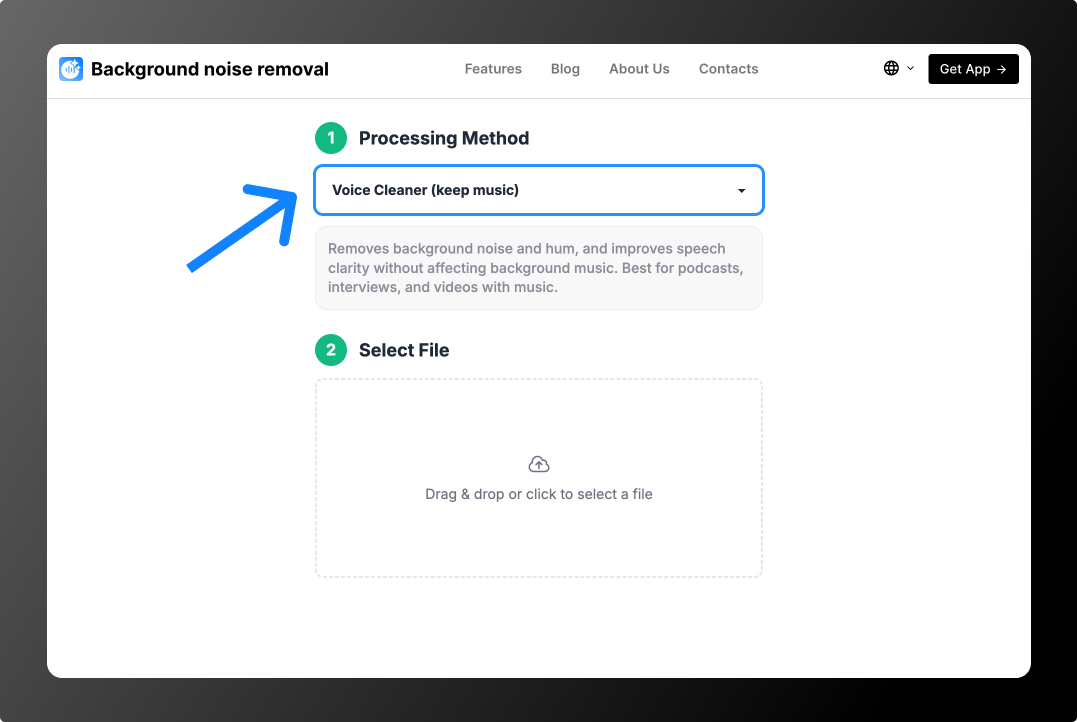
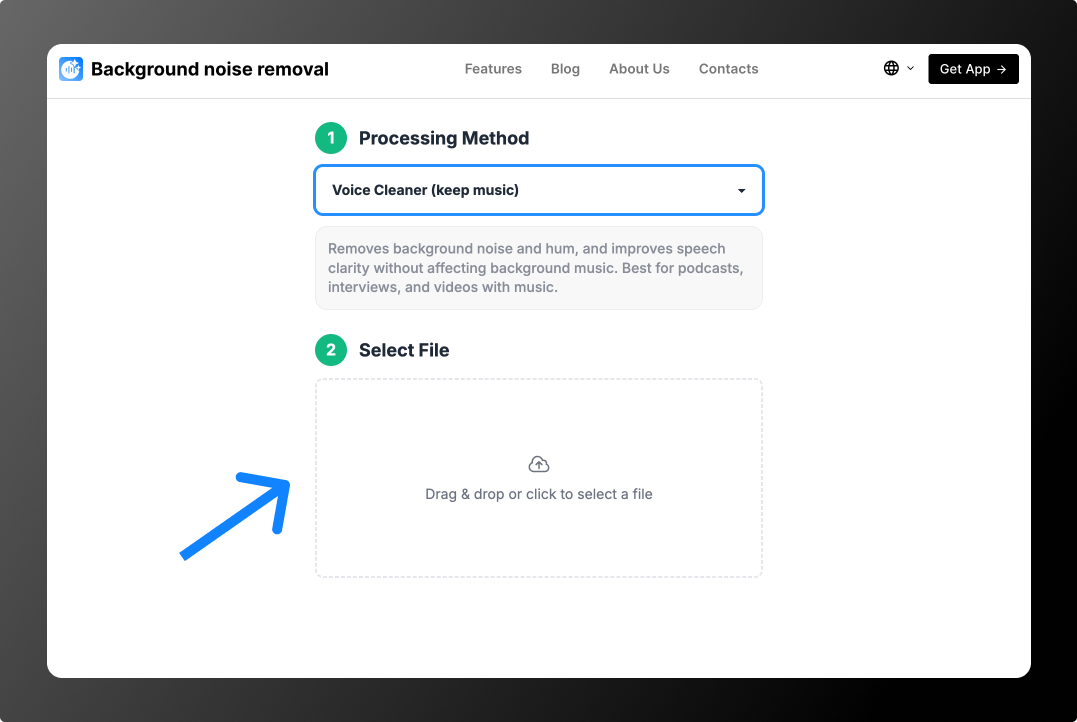
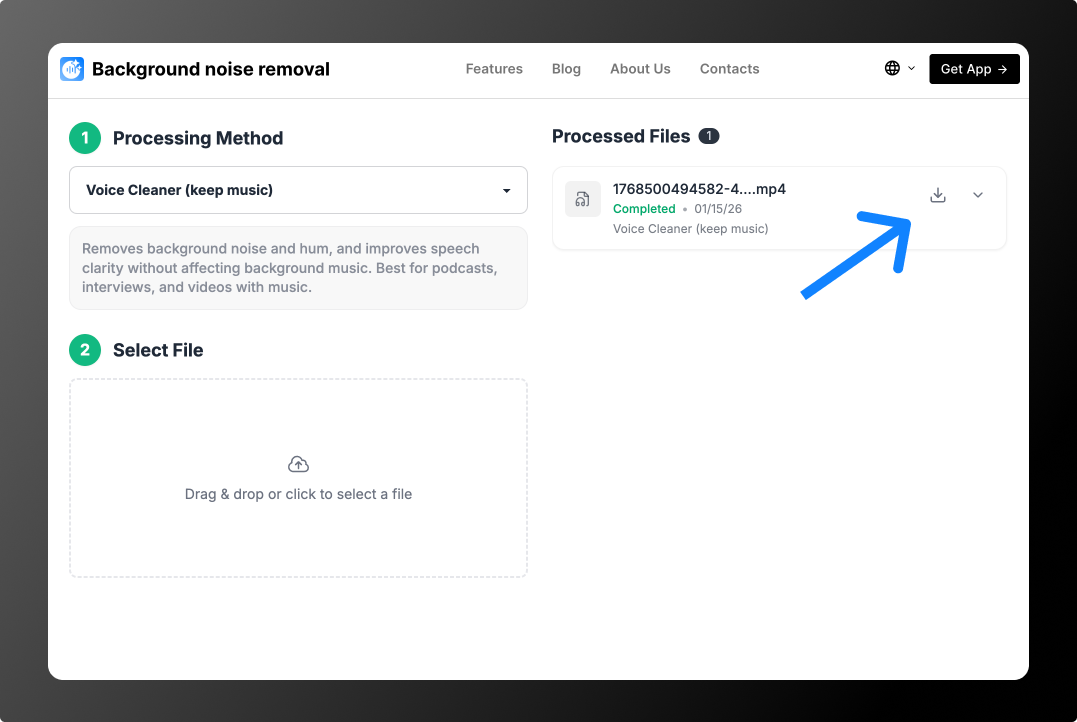
Before and after
A voice recorded with loud music and street noise nearby. After processing, only the voice is left.
The first 30 seconds of 2 files are processed for free, so you can check the result on your own video before paying. There is no subscription: from $0.79 per file or minute packs from $1.99 for 10 minutes. See Pricing.
How to Remove Background Music from a Video in Editors
Most video editors can mute or replace the whole audio track, but only a few can separate music from speech. Here is what to expect:
CapCut
In recent desktop versions, select the clip, open the Audio panel and look for the vocal or voice isolation option (the name depends on the version). It keeps the voice and lowers the rest. The mobile app usually offers only noise reduction and muting, which won’t remove music cleanly.
Premiere Pro
Tag the clip as Dialogue in the Essential Sound panel and try Enhance Speech. It is built to clean up voice and can suppress some background sound, but loud music under speech often stays audible. For full separation, process the clip online and put the clean file back on the timeline.
DaVinci Resolve
DaVinci Resolve Studio includes Voice Isolation: select the clip, turn on Voice Isolation in the Inspector (or on the Fairlight page) and raise the amount. The free version doesn’t include it.
iMovie, Clipchamp and other simple editors
These editors can detach and delete the audio or lower its volume, but they can’t split music from speech. Use an online tool for that step and then continue editing.
How to Remove Background Music from a Video on Your Phone
Open the tool in your phone’s browser, upload the video from your gallery, choose Voice Cleaner (remove music) and save the result back to your phone. No app needed, and it works the same on iPhone and Android.
When You Need It
- Copyright claims. A video is blocked or demonetized on YouTube, TikTok or Instagram because of a track in the background. Remove it and add licensed music.
- Reposting to another platform. A sound that’s allowed on one network can be muted on another.
- Clips from streams and events. Music was playing in the room, but the clip needs only the speaker.
- Subtitles, translation and dubbing. Transcription is far more accurate on a clean voice.
Keep the Music, Remove Only the Noise
If the soundtrack should stay and only noise is the problem, choose Voice Cleaner (keep music) instead. For a dedicated tool page with all music-removal options, see the background music remover. If there is no music and only noise, use background noise removal.
FAQ
How do I remove background music from a video for free?
Upload the video and choose Voice Cleaner (remove music). The first 30 seconds of 2 files are processed for free, which is enough to hear the result.
Can I remove background music but keep the voice?
Yes, that is exactly what Voice Cleaner (remove music) does: it keeps speech and removes music and noise.
Can I remove the voice and keep the music instead?
No, the tool works the other way around. For karaoke-style instrumentals from songs, use a vocal remover.
Will the video quality change?
No. Only the audio track is processed; the picture stays in its original quality.
Does it work for songs?
The mode is built for speech. It can’t extract vocals from a song yet.