
How to Remove Background Noise in DaVinci Resolve
Background noise on a recording — wind, traffic, hum, air conditioning — can be removed in DaVinci Resolve, but there is a faster way. First, how to clean the audio online in a couple of minutes, then a step-by-step guide for DaVinci Resolve itself.
The Fastest Way: Remove Background Noise Online, No Software Needed
DaVinci Resolve is a professional editor: it is a multi-gigabyte download, and you need to learn the Fairlight page and its audio effects. If you just need clean audio quickly, upload your video to Background Noise Removal: there is nothing to download, no effects to learn and no settings to tweak. The AI separates the voice from noise, music and echo on its own.
Remove Background Noise Online in 3 Steps
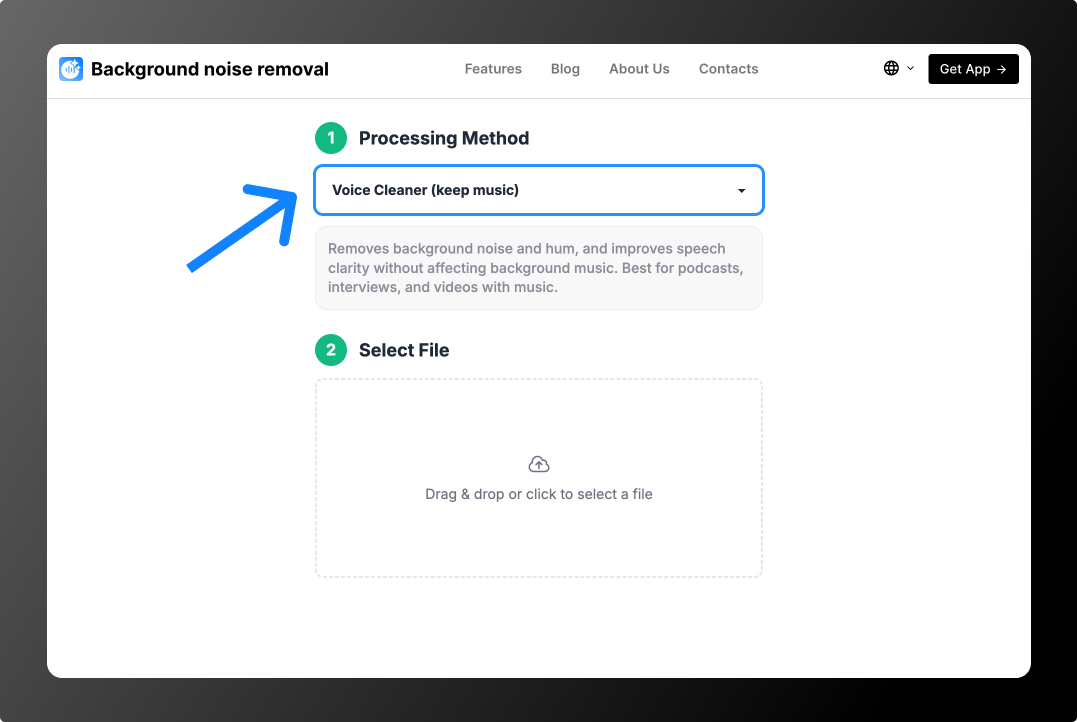
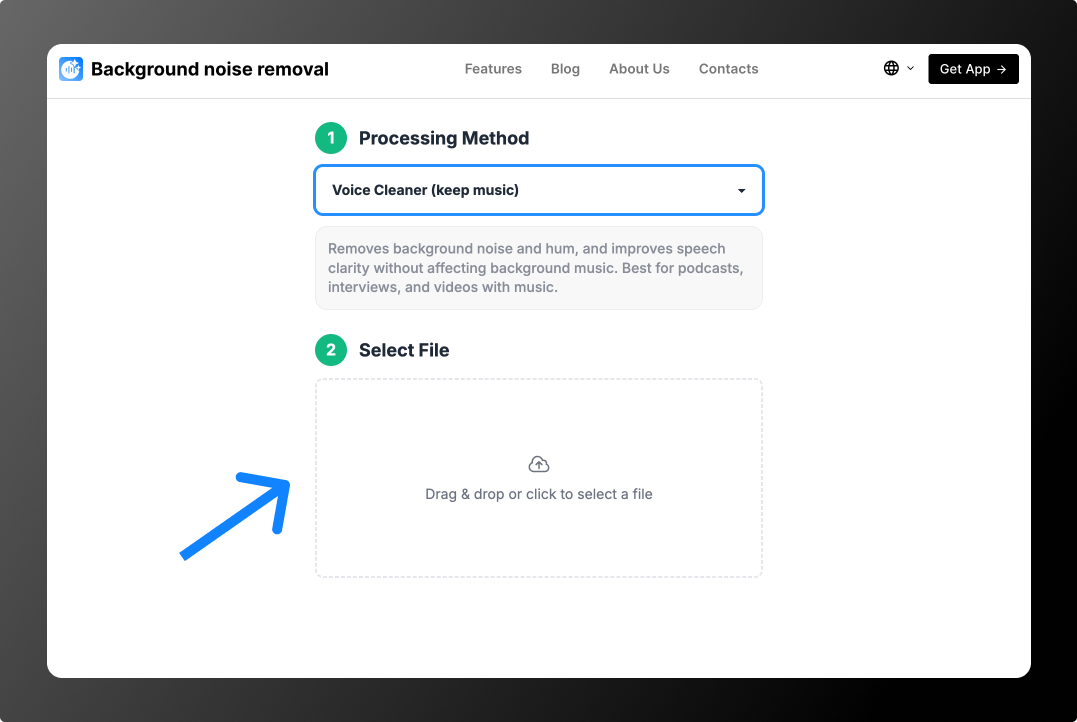
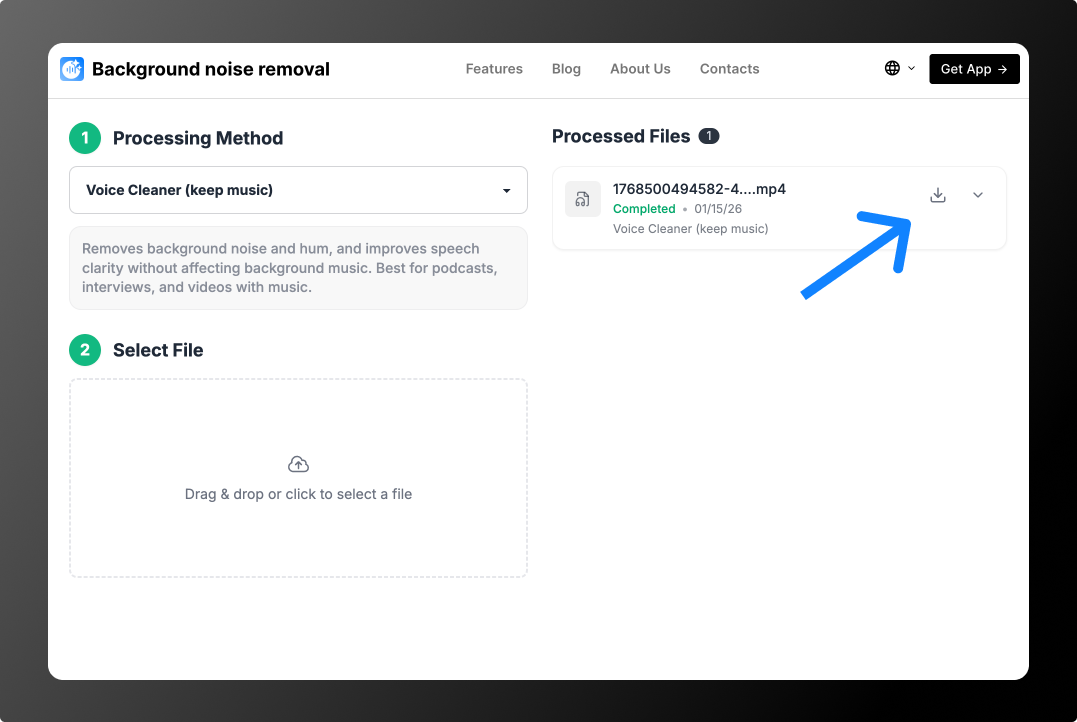
Example: street noise and loud music
Example: echo in an empty room
You can process 2 files for free: the tool cleans the first 30 seconds of each, so you can hear the result. After that, no subscription: from $0.79 per file or minute packs from $1.99 for 10 minutes. See Pricing. You can drop the cleaned file straight back into your project and keep editing.
Method 1: Noise Reduction on the Fairlight Page
- Go to the Fairlight page.
- Open the Effects Library and drag Noise Reduction onto the track or clip.
- Enable Learn, play a noise-only section, then turn Learn off.
- Adjust the threshold and amount, and preview the result.
Method 2: Voice Isolation
Recent versions of DaVinci Resolve include Voice Isolation in the audio Inspector: it separates the voice from the background with one slider. Availability depends on your version.
Menu names depend on your version and interface language.
How to Put the Cleaned Audio Back into DaVinci Resolve
If you processed the whole video online, simply replace the original clip — same picture, clean sound. If you processed only the audio: Drag the cleaned file into the Media Pool, place it on an audio track under the original clip and sync by audio (Auto Sync Audio). Mute the original clip’s sound.
Why Built-In Noise Reduction Doesn’t Always Help
Built-in filters usually “subtract” noise: they find frequencies that look like noise and lower them across the whole recording. That works for steady hum or hiss, but not for noise that changes — cars, wind gusts, voices, music. Noise and voice also share frequencies, so strong settings make speech dull or metallic. AI works differently: it finds the voice and rebuilds it separately from the background, so speech stays natural. More on the AI audio cleaner page.
How to Record with Less Background Noise
- Keep the mic close to the speaker — the closer, the quieter the background.
- Use a lavalier mic — even a cheap one beats a built-in mic.
- Block the wind with a windscreen or your body.
- Turn off air conditioning and fans and close windows while recording.
DaVinci Resolve or an Online Tool: Which to Choose
- You need it fast, without installing anything — the online tool: upload, pick a mode, download.
- The noise changes (traffic, wind, music, voices) — the online AI tool.
- You already edit in DaVinci Resolve and the noise is steady — the built-in tool.
- The music must stay — Voice Cleaner (keep music).
More guides: how to remove background noise in apps.
FAQ
Is noise reduction free in DaVinci Resolve?
Some audio tools are available in the free version and some only in DaVinci Resolve Studio. It depends on your version.
What if the voice sounds bad after Noise Reduction?
Lower the effect strength, or clean the audio with AI online and bring the file back into your project.
How much does online cleanup cost?
You can process 2 files for free: the tool cleans the first 30 seconds of each, so you can hear the result. After that, no subscription: from $0.79 per file or minute packs from $1.99 for 10 minutes. See Pricing.